Cracking NetLimiter
What is NetLimiter⌗
NetLimiter is a Network Traffic Control and Monitoring Tool designed for Windows. It allows users to set download/upload transfer rate limits for applications or even single connections, monitor their internet traffic, and more. It’s great for checking which applications are using your bandwidth and even setting up rules to block or limit certain apps.
It even includes graphs, so it’s already got a plus in my book.
Why crack it⌗
After all it is free to download and use? The free version is considered “Restricted Mode”, meaning you can’t create new rules, new filters or view the stats. Which to me, I wanna see the stats in graphs, I wanna be able to create rules and filters. I just don’t wanna pay $19.00 a year for it.
How do we crack it⌗
I already knew NetLimiter was built with .NET, it’s clear as day when you view the install folder. You see CoreLibNet.dll, WPF references and netstandard.dll. It’s a .NET app. And with all .NET apps, you can decompile and view their code, albeit partially, with tools like dnSpy or ILSpy.
So I opened up dnSpy, loaded NetLimiter.dll from the install folder, and started looking around.
Luckily for us, NetLimiter doesn’t obfuscate their main library, so we can easily see everything.
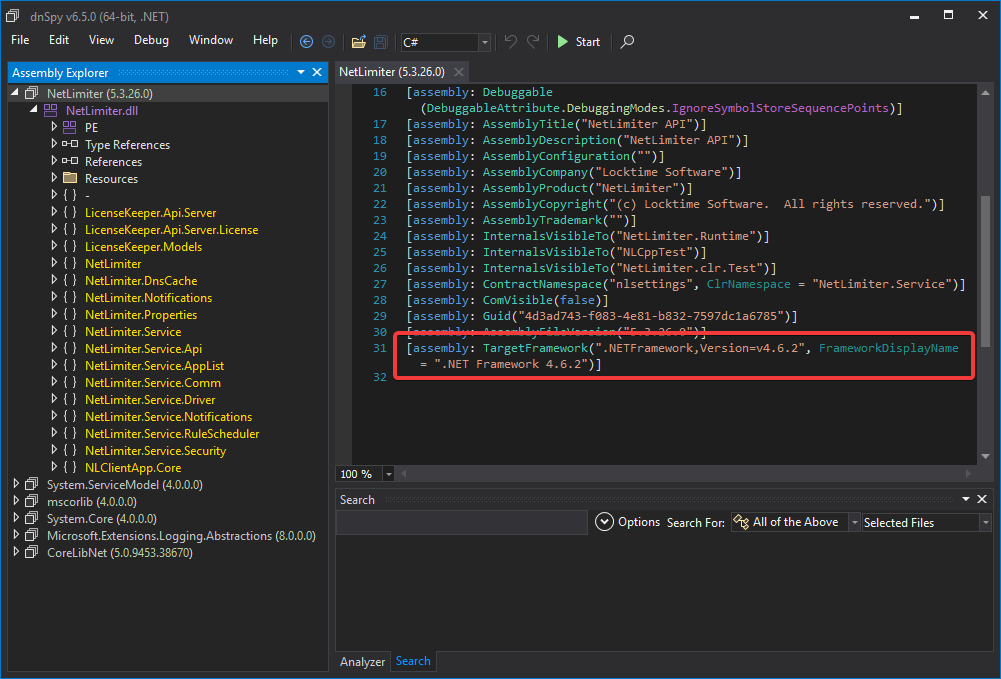
But we’re not interested in what version of .NET they’re using, we’re interested in how their license is implemented.
Quick search for “License” shows us a class called NLLicense in the NetLimiter.Service namespace. This has everything from Expiration, who it’s registered to, what supported features and so on.
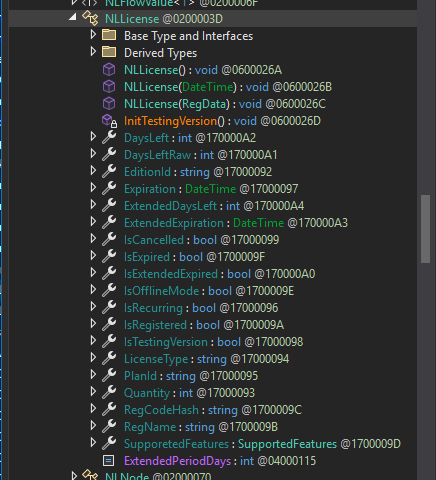
The Expiration property just returns a DateTime struct, so we can just replace the return with DateTime.MaxValue to make it never expire.
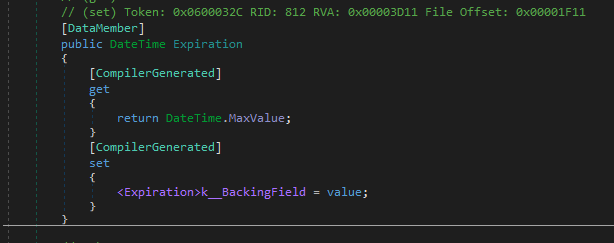
We don’t have to worry about the setter, it can set it to whatever, our replacement always returns MaxValue regardless.
Taking a look at the SupportedFeatures property too, since that’s what tells the app what features are available to us, the property of which is just a type called SupportedFeatures. This contains the checks to determine whether or not the current edition supports certain features.
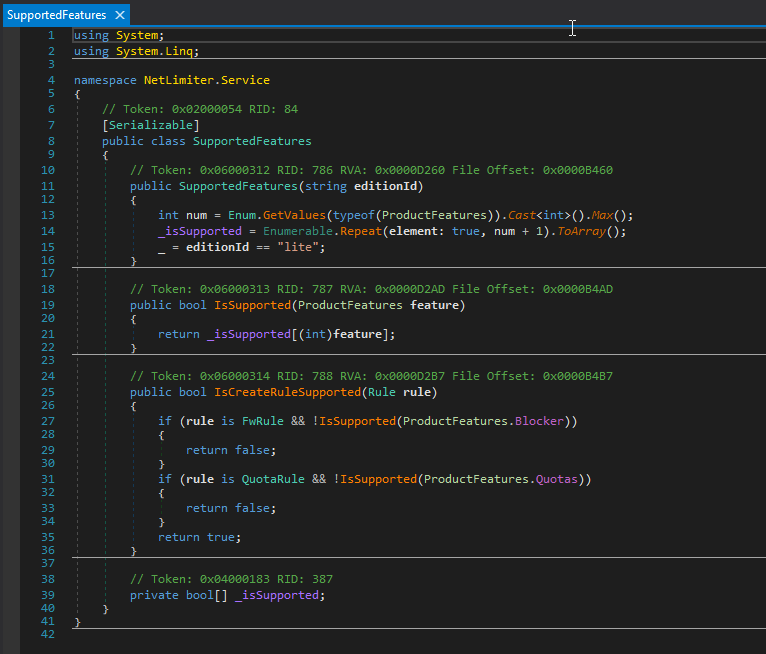
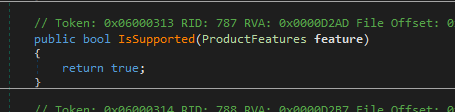
IsSupported() is the main method we care about here. It takes a feature enum and returns true or false depending on whether or not it’s supported. So we can just replace the entire method to always return true.
Now while we are done with the code, NetLimiter actually keeps a service in the background which actually manages the rules, filters and so on. So we have to stop that service before we can replace the DLL. The service of which is called “nlsvc”, or NetLimiter Service.
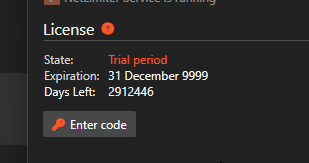
Tada!
I am also aware of a GitHub repo that does the same thing, but automated. However I cracked everything manually prior to finding that repo, so I decided to write this post anyway. The repo of which is a very obvious Google search away.
Additional Notes⌗
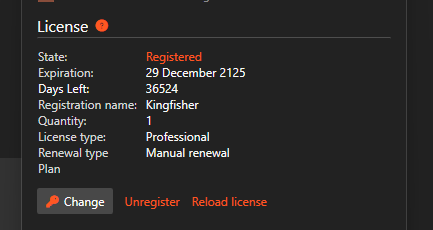
It is possible to patch the DLL to allow a username be set, this is a little bit more work but here you can see how that looks like in the About screen
As with cracking any software, to avoid legal issues I am not going to include any patched files or anything like that.
This is purely for educational purposes. If you like the software, consider buying a license to support the developers.
Locktime Software, please don’t send the hit squad after me. Your software is great, but I’m just too cheap to pay for it.